

Downloading Adobe Creative Cloud onto another computer
Sometimes for consults or marketing purposes you want remote access to creative cloud files.
To install simply download this :
https://www.adobe.com/au/creativecloud/desktop-app.html
From there enter your adobe login in details.

Once installed creative cloud will appear in your taskbar at top ( Mac ) or bottom ( windows )

Click the ‘cloud’ icon to see if your files are syncing.


Open Finder ( Mac ) or Explorer ( PC ) Files from photoroom will be synced to creative cloud and then downloaded to other computers signed in.
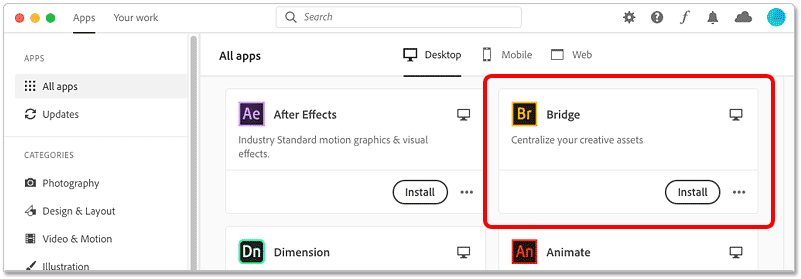
Installation of Bridge for viewing :
The Creative Cloud app opens with a list of all the Adobe software currently installed on your computer. And below that is a list of other apps that are available. The number of available apps depends on your Creative Cloud subscription, but Bridge is included with all of them.
How to use Bridge for consults :
https://www.dropbox.com/s/ug4trkn6gyfenq0/How%20to%20use%20bridge.mov?dl=0